Files and drawings
Everyone is looking at the same drawing
A drive stores the drawing. Wyroo keeps what everyone said about it: every mark tied to the version it was made on, and carried onto the next one.
Free to try. No credit card needed.
See it live
Mark up a drawing before you upload one of your own.
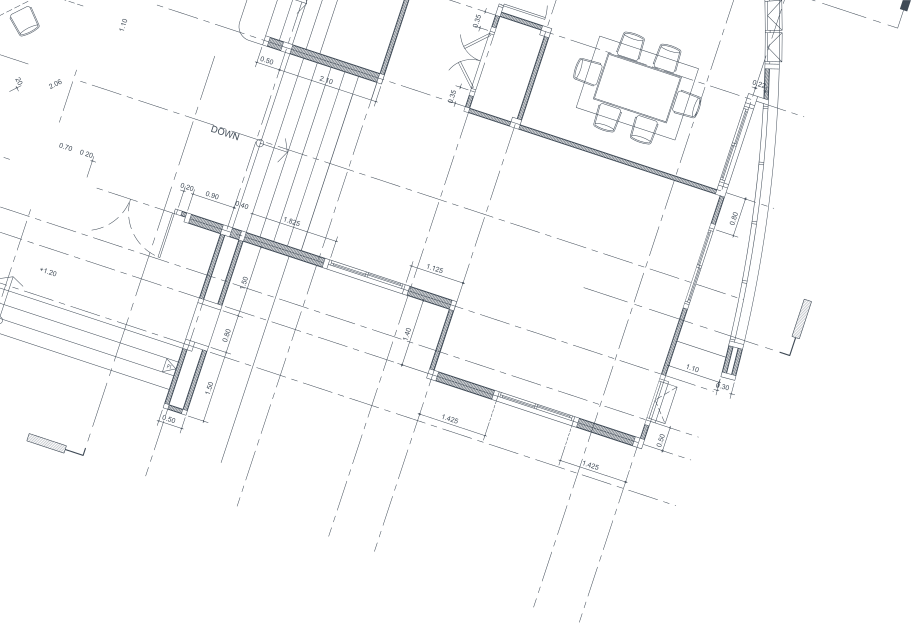
Ground floor - floor plan.pdf
Annotations · v3 · 3 annotations
1 note carried from a previous version. Verify its position.
The island needs its own outlet group here, otherwise the inspection will flag it.
Adding it to the panel schedule. Fixed in the next revision.
Carried from a previous version. Check it still applies on this drawing.
Shower drain moved 200 mm in revision 3. Check the joist direction before the screed goes in.
Contractor confirms it clears the joists. The screed is planned for Friday.
The door swing hits the wardrobe here. Can the door hinge on the other side?
Open a version history, then click the marked-up drawing to read its notes. This is the real component your team would use.
The short version
Never
Is a drawing overwritten
A new upload becomes the next version. The old one stays.
Any
Format the trade sends
Drawing sets, photos from site, CAD and BIM exports.
90 days
To undo a deletion
Deleted files wait in the trash before they are gone.
From zero to marked up
From drawing to remark in ten minutes
-
01
Drop the drawings in
Drag a whole set onto the project, or straight into a folder. The formats the trade uses are recognised as they are.
-
02
Mark the spot
Drop a pin or draw a box where the attention is needed, and write the note. Everyone on the project sees the same mark.
-
03
Turn it into work
Resolve it when it is done, hand it to the board as a card, or download the drawing with every note stamped on it.
That's it. No plugin, no desktop application.
Ready when you are: the first project is free.
Start for freeVersions
The latest drawing, with its whole history
Upload a new copy and Wyroo keeps the old one instead of writing over it. Every link to this file follows on to the new version, so nobody consults an old drawing without realising, and the previous one stays available.
That holds for whatever the trade sends: a revised PDF drawing set, a DWG or DXF from CAD, an IFC or RVT export from the model. A badge shows which version you are looking at.
Markup
Point at the spot, not at a paragraph
Mark the spot in question with a pin or a box and write your remark beside it: a pin on the socket in the wrong place, a box around the wall that needs retiling. Everyone on the project sees the same mark and can reply to it.
So checking happens straight on the drawing rather than in a separate message. And the mark holds its spot when you zoom in, or when the drawing opens on a phone at the other end of the site.
From drawing to board
A finding becomes work someone owns
Attach a remark to the person who picks it up and turn it into a card. The remark is already the title, ready for a column and a type, and nobody has to retype anything.
The card keeps a link back to the mark it came from, so every conversation about this point stays together and the drawing is one click away.
Live markup, permanent record
Nobody builds from a drawing that has moved on
A mark belongs to the version it was made on, so it never drifts onto a drawing that has changed since. When a new revision arrives you can carry the open marks forward, replies and all, each one flagged so you check it against the new drawing before trusting it.
The whole record downloads as one PDF: the drawing with every mark stamped on it, and a numbered list of the notes behind it, including who wrote them, on what date and which card each one became. Readable by anyone, without signing in.
Why a library, not a drive
A drive stores the drawing. Wyroo keeps what everyone said about it.
A folder full of PDFs answers one question: what was sent. It cannot tell you what was asked about it, what was decided, or whether the mark someone made last month still applies.
Most teams keep their drive for the company archive and move the drawings the project actually works from into Wyroo. Nothing has to be migrated on day one: the next revision you receive is the one to drop in.
What changes is that the drawing stops being a dead file. It carries its versions, the marks people made on it, the replies to those marks, and the work that came out of them. When someone asks in a year why that wall was retiled, the answer is still attached to the plan.
Less noise. More progress.
Questions about files and drawings
What happens to the notes when a new version of the drawing arrives?
Wyroo offers to carry the open marks forward onto the new version, replies included, each one flagged to verify. The drawing may have moved, so you check every carried mark against the new sheet and confirm it or drag it to the right spot. Marks that were already resolved stay with the version they belong to, as the record of what was raised.
Does this replace our drive or SharePoint?
Most teams keep their drive for the company archive and move the drawings the project actually works from into Wyroo. The difference is the conversation: in a drive a drawing is a file, in Wyroo it carries its versions, its marks and the work that came out of them.
Can we bring in the drawings we already have?
Yes. Drag a whole set onto the project at once, or drop them straight into a folder. Nothing needs converting first: the formats the trade uses are recognised as they are.
Which file formats can I open and mark up?
Marking up happens on PDF, which is what drawing sets are issued as, and it happens in the browser with no plugin. Everything else the trade sends is stored, versioned, previewed where the browser can show it and shared like any other file: photos from site as JPG or PNG, office documents, and the native formats such as DWG and DXF from 2D CAD, IFC and RVT from BIM, SKP, OBJ and STL from 3D. So the model stays with the project and the drawing set is what people write on.
How large can a file be?
Up to 150 MB per file, which covers drawing sets, photo batches and most documents comfortably. A full BIM model is often larger than that: keep the heavy source where it is authored and put the exported drawings and the IFC you actually share into the project, which is the set the rest of the team needs anyway.
Where are my files stored?
In private storage in the European Union, in Amazon's Frankfurt region, never in a public bucket. A drawing is served through a link that is signed for you and expires after five minutes, so a link cannot be forwarded and reused later. When you do want to share a file outside the project you create a share link deliberately, and you decide how long it lasts.
Do the people on site need to learn a new tool?
No. A drawing opens in the browser on any phone, and a mark is a tap on the spot plus a line of text. There is no plugin and no desktop application to install.
Can someone outside Wyroo see a drawing?
Yes, through a share link that you can protect with a password and let expire after a set time, or revoke whenever you want. Every open and download is logged, so you can see the link was used. For a supplier who only needs the marks, the drawing also downloads with every note stamped on it.
What happens if someone deletes a drawing?
It goes to the project's trash, where anyone can put it back for 90 days. Only a project manager can remove it for good before then, and the activity log of who uploaded, changed and deleted it survives either way.
Dig deeper
The full guides behind this page, in plain language.
Put your next revision where everyone can mark it up
Free to try, no credit card needed. Invite your team when you are ready.
Start for free